
Punch Upon a Time Training Mode: Setup and Practice Guide
Punch Upon a Time training mode is an isolated practice arena where players select custom stages, sparring opponents, and bot difficulty levels to test combat execution. Configuring an idle dummy lets you verify hitboxes, directional inputs, and recovery angles before entering live matches.
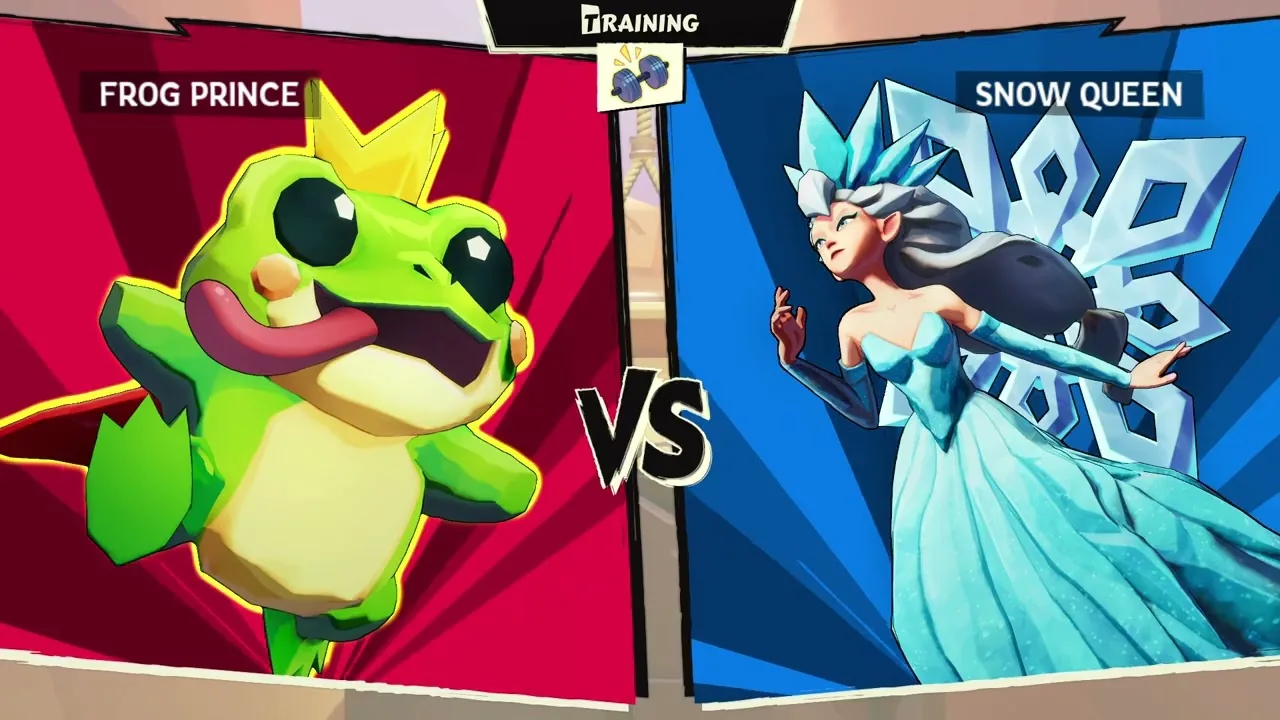
Punch Upon a Time training mode is an isolated practice arena where players select custom stages, sparring opponents, and bot difficulty levels to test combat execution. Configuring an idle dummy lets you verify hitboxes, directional inputs, and recovery angles before entering live matches.
How Do You Configure Settings in Punch Upon a Time Training Mode?
The practice lobby is a pre-match configuration screen where you set your training parameters before entering the arena. According to the Beta Weekend 2 announcement published on Steam by developer Supersaurus, the practice setup menu lets players select three core options before starting:
- The stage for the practice session.
- The opponent character dummy.
- The opponent bot level, which defaults to level 0.
At bot level 0, the training dummy stands completely still on the stage and will only take action to recover if knocked off the platform edge into the blast zone. Setting the bot to stationary behavior allows players to measure exact damage percentages, practice link strings without defensive interruptions, and check the knockback trajectories of specific attacks.
| Sparring Bot Level | Practice Focus | Functional Trade-Off |
|---|---|---|
| Level 0 | Combo timing, damage scaling, and hitstun verification | The bot remains stationary and only recovers when knocked offstage |
| Low Bot Levels | Basic neutral pacing, shielding, and tech rolling reactions | The bot provides predictable offensive patterns without high-tier punish strings |
| Active Opponent | Live defensive reads, hitshifting, and burst options | High bot activity interrupts specific combo route labbing |
Which Mechanics Can You Lab in the Practice Arena?
Directional attacks are position-based standard strikes mapped to the control stick and primary face buttons. Players learning how to play can differentiate between light tilt attacks and heavy smash attacks by adjusting input timing and directional holds.
Training mode gives you room to practice each category of combat action across the available characters:
- Light attacks execute quick jabs in neutral and tilt strikes when holding up, down, or sideways.
- Heavy attacks charge smash strikes that increase knockback distance based on hold duration.
- Aerials trigger directional attacks in the air, including up airs, forward airs, back airs, and down spikes.
- Specials use neutral, up, and down directional inputs, with up specials primarily functioning as vertical or horizontal stage recoveries.
- Throws activate through the grab button followed by a directional input to fling the target forward, backward, or upward.
Advanced defensive and movement mechanics are also testable in the arena. Developers added directional hitshifting during hitpause, which alters character position while taking hits:
"You can hitshift once per hit by inputting a fresh direction during hitpause to move your character a small distance" — the developer's Steam announcement
Testing hitshifting and directional influence (DI) before hits land determines how easily your fighter escapes offstage death boundaries during high-percentage situations.
How Does Training Mode Compare to the In-Game Tutorial?
The tutorial mode is a scripted sequence designed to introduce basic rules rather than an open laboratory. While the beginner tutorial covers short hops, wall slides, super jumps, shield bubbles, and air dodges, the advanced tutorial tests mechanics like directional influence and wavedashing.
At the conclusion of the updated tutorial, players fight a bot and complete the Maiden Voyage, which serves as a miniature offline run of squad saga. Training mode differs by removing all scripted objectives, timers, and health point constraints found in the main party modes or competitive 1v1 matches. It functions strictly as an uninterrupted lab space for character mechanics.
What Controllers and Input Options Work in Practice Sessions?
Input options are customizable through the system menus to support multiple gamepad layouts. As confirmed on the Steam store page, the game provides full controller support for Xbox controllers, DualShock, DualSense, keyboard-only setups, and official Nintendo or Mayflash GameCube controller adapters running in Wii U/Switch mode.
Players can access the controls menu to bind specialized shortcuts, including one-button wavedash toggles, tap-jump settings, right-stick attack configurations, and shield triggers. Adjusting deadzones and stick sensitivities in training mode ensures that directional specials and tilt attacks trigger reliably before entering matchmaking or hosting private matches in custom lobbies.
Next step
Black Knight
Learn the full special moveset, aerial combo routes, patch adjustments, and neutral strategies for the Black Knight in Punch Upon a Time.
Related Guides
Punch Upon a Time Items: Pocket Gear and Weapon Guide; Punch Upon a Time Black Knight Moveset and Guide